
Assignment 1: Magazine Page Layout Recreation
Recreate the layout — make it your own
Send your submission via email to mitchellh2@cnc.bc.ca. Please CC any other instructors for this course.
In this assignment, you will recreate a magazine page layout using any vector-based design software. You will choose one of the magazine templates provided by your instructor. The template gives you the layout and structure, but the content is yours.
Use any vector-based software you like:
Think of it this way:
The template is your skeleton. You get to decide what it becomes.
Keep the same
- • Layout
- • Page size
- • Placement of major elements
- • Text columns
- • Image areas
- • Type hierarchy
- • Spacing and alignment
- • Overall formatting
Change / make your own
- • Images
- • Story / topic
- • Headline
- • Body text
- • Colour scheme
- • Captions
- • Visual style within the layout
Choose one magazine page template from the files provided by your instructor, and study it carefully before you begin. Look at how many columns are used, where images are placed, how much space each element occupies, the visual hierarchy, how the headline and body text are arranged, and where lines, shapes, and captions sit. Your job is to rebuild this structure.
Choose one of these templates to recreate:
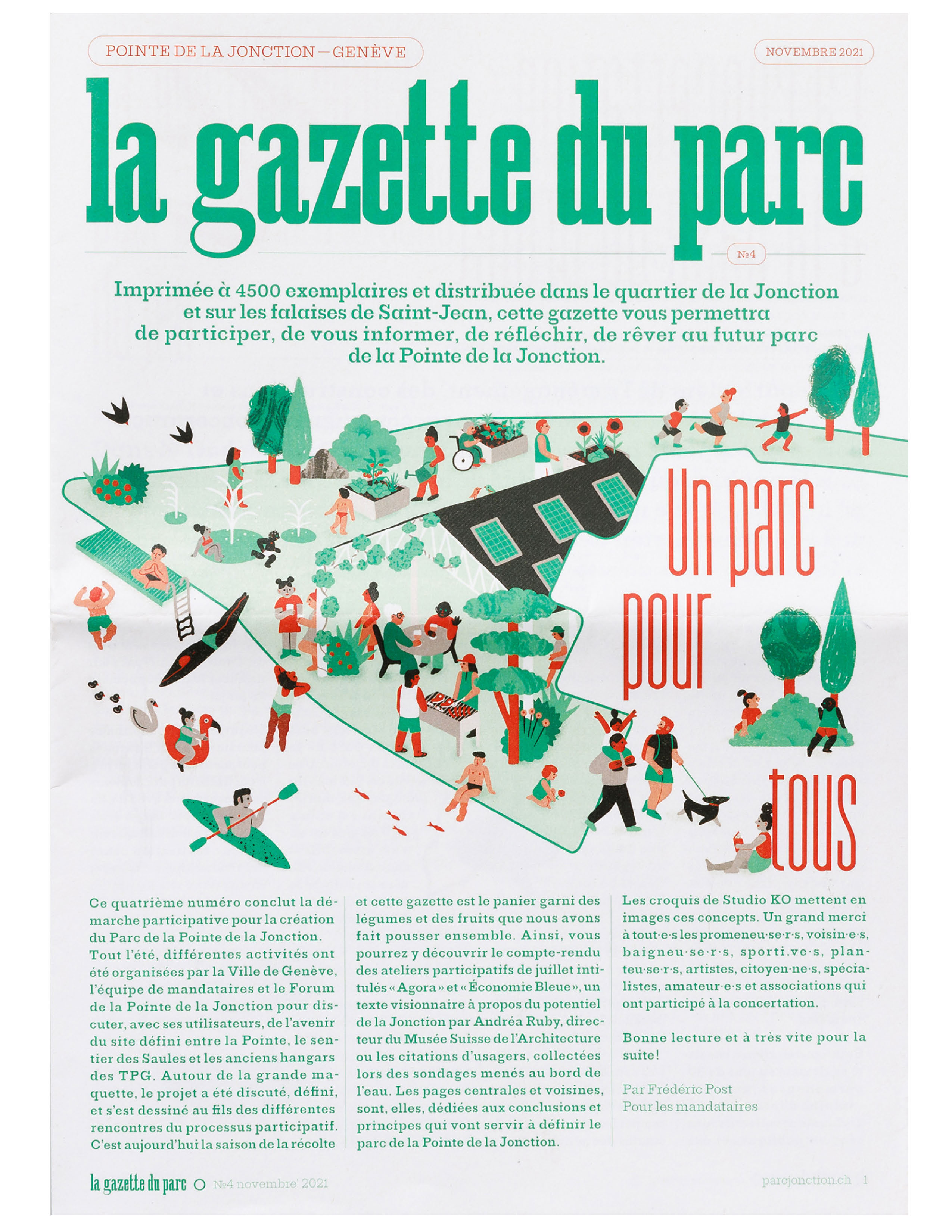
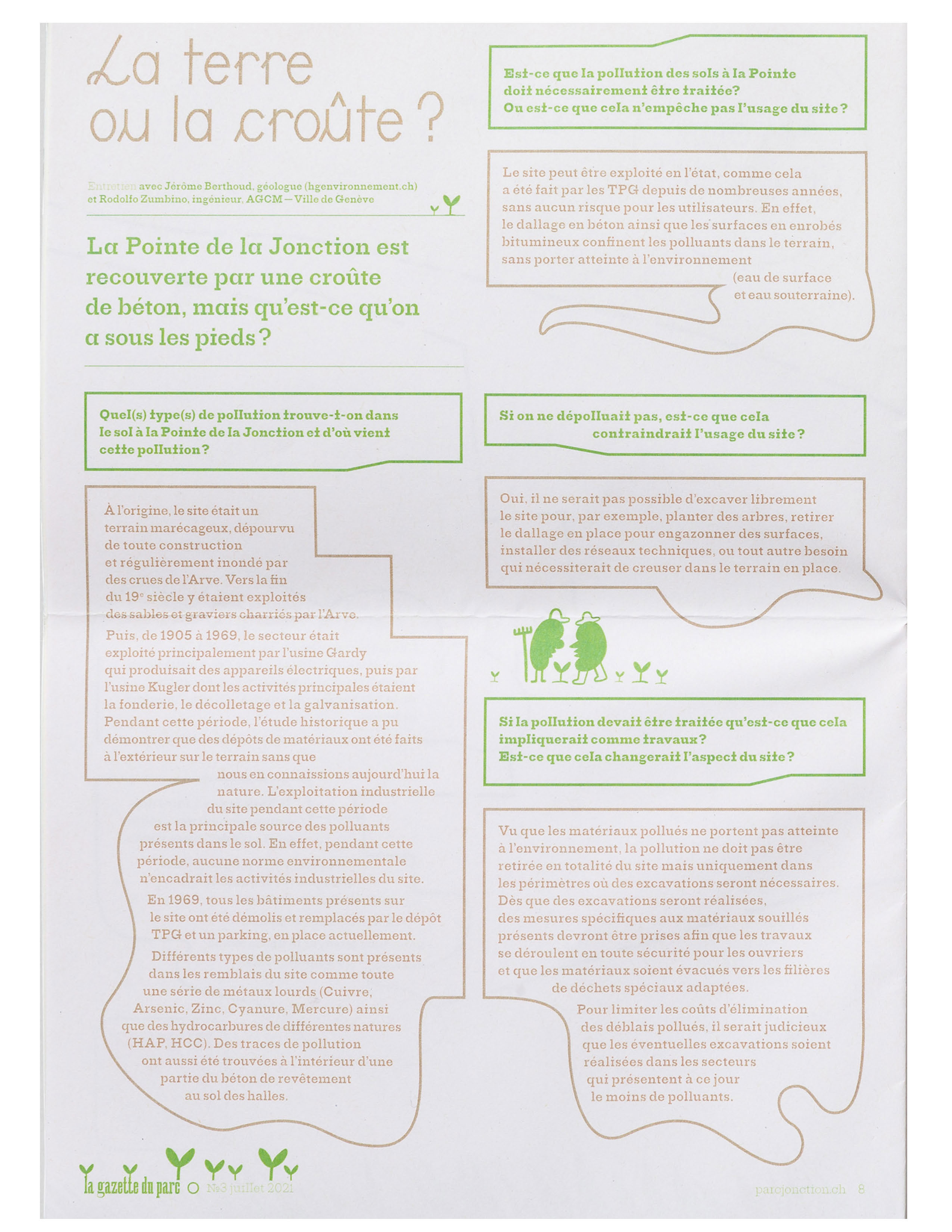
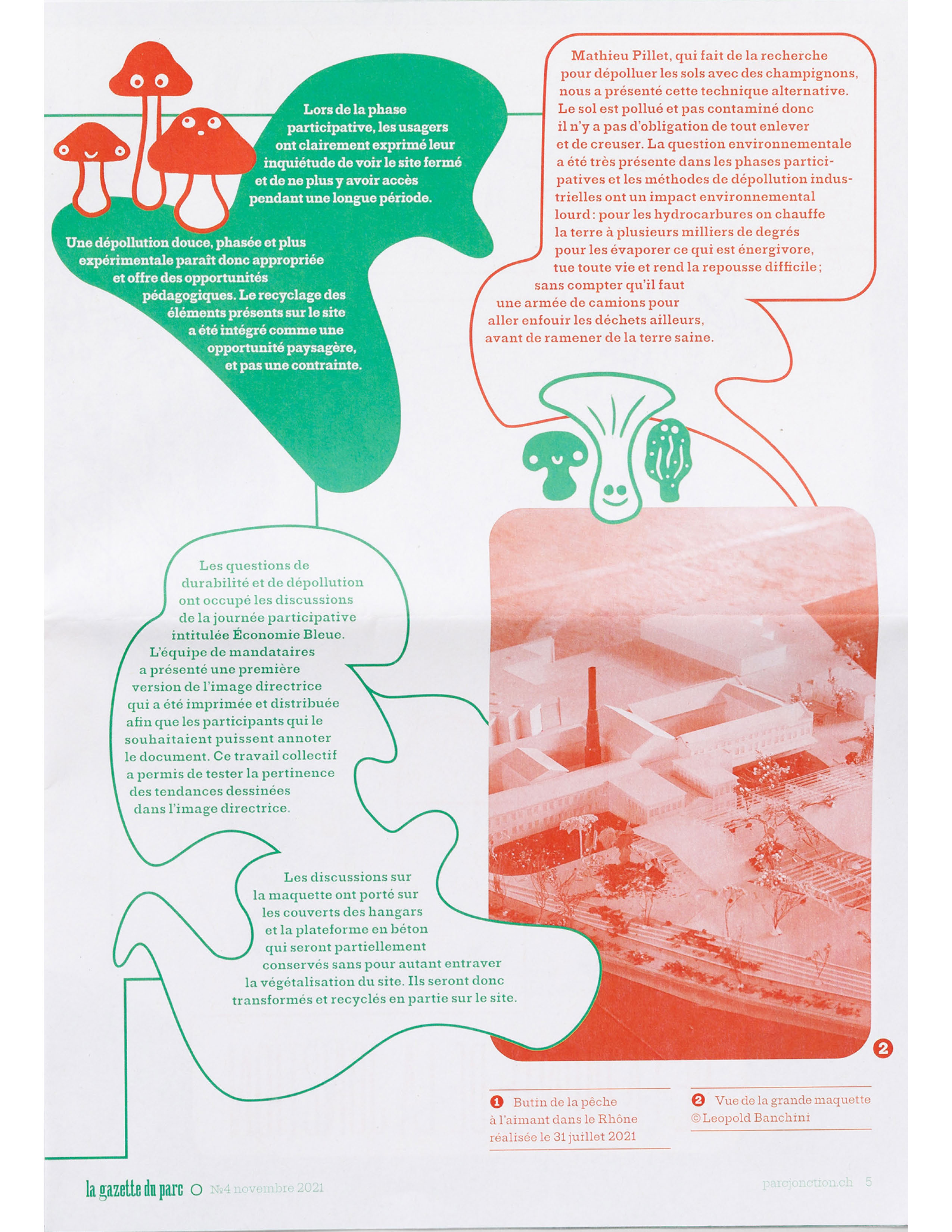
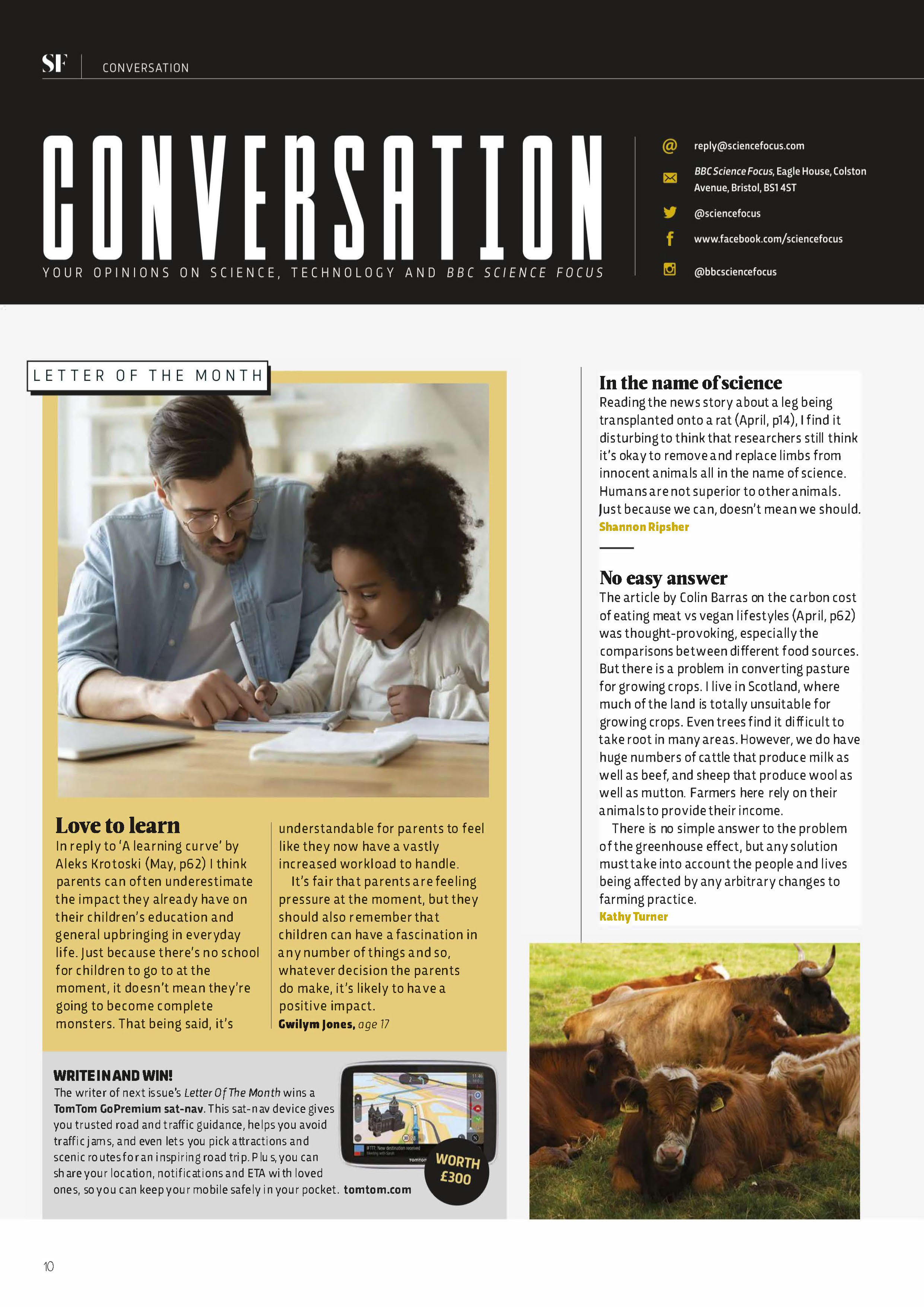
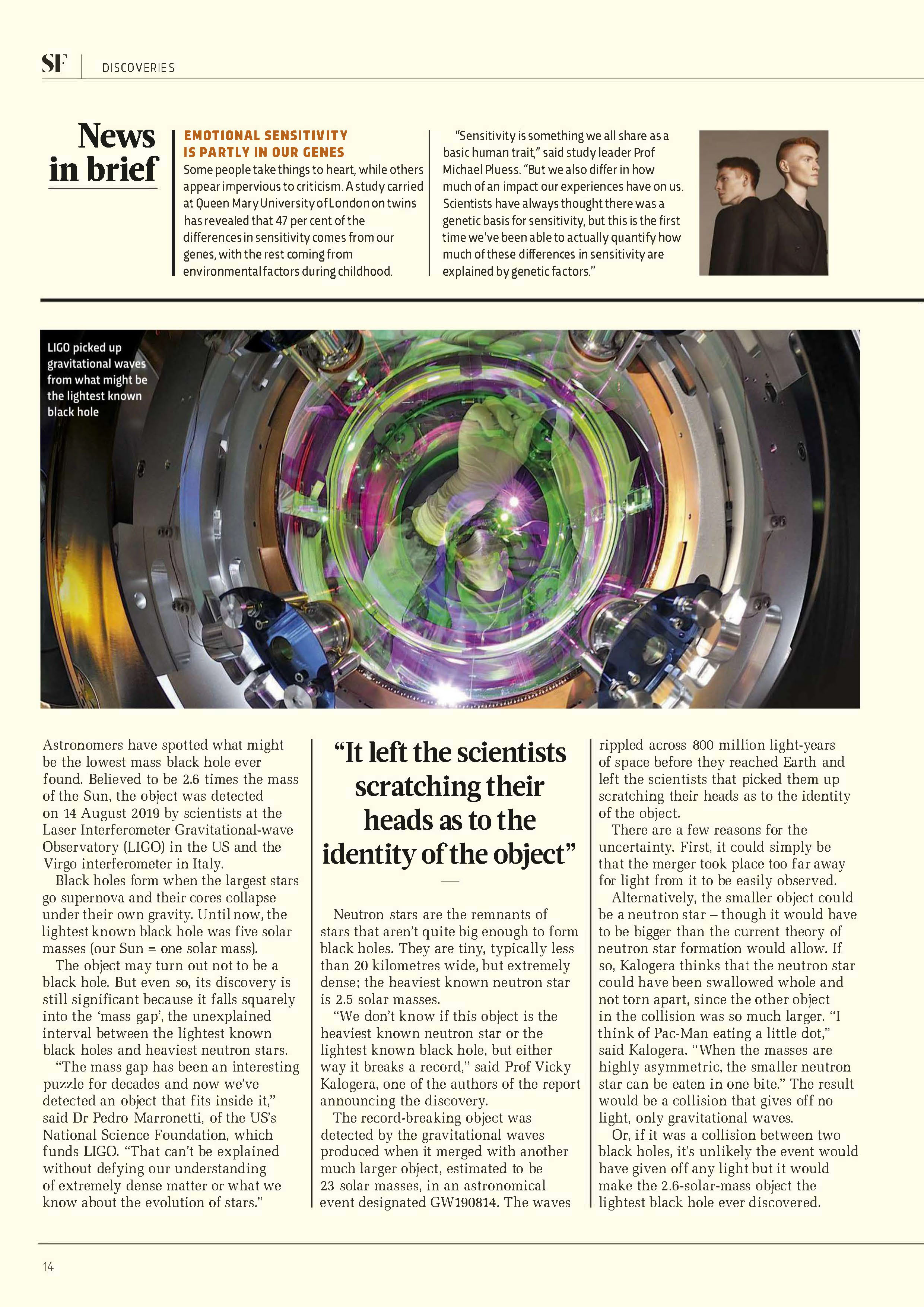
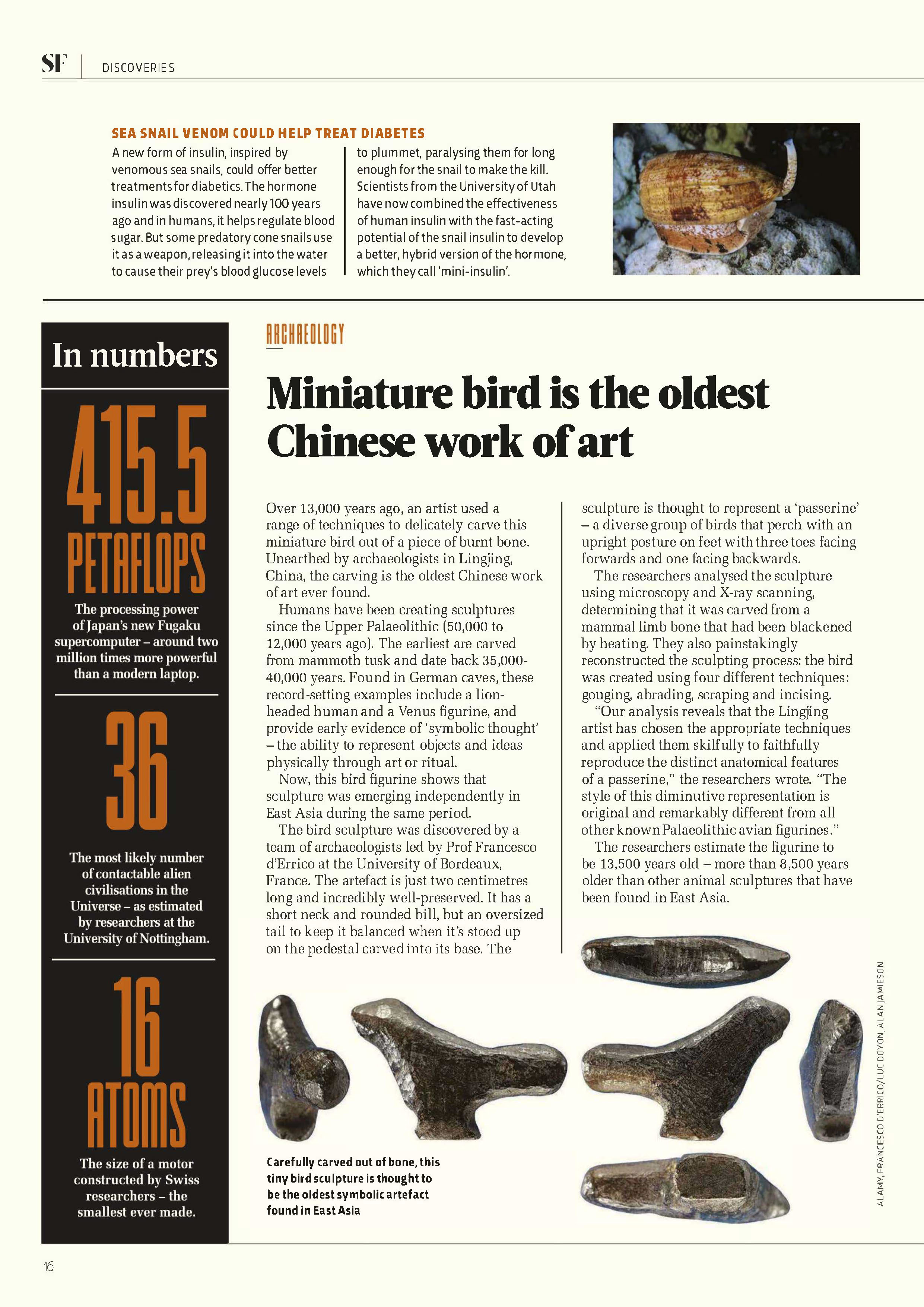
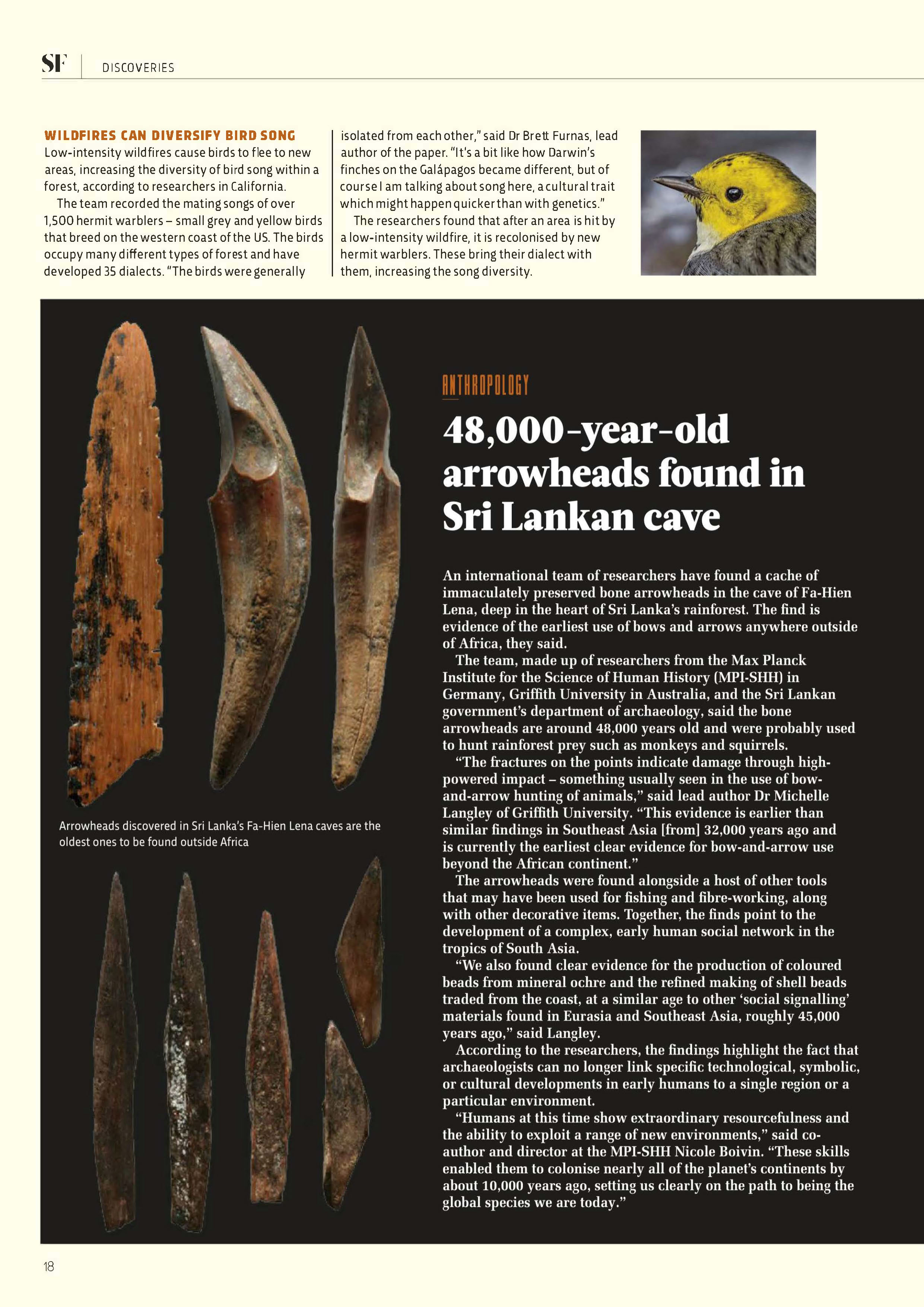
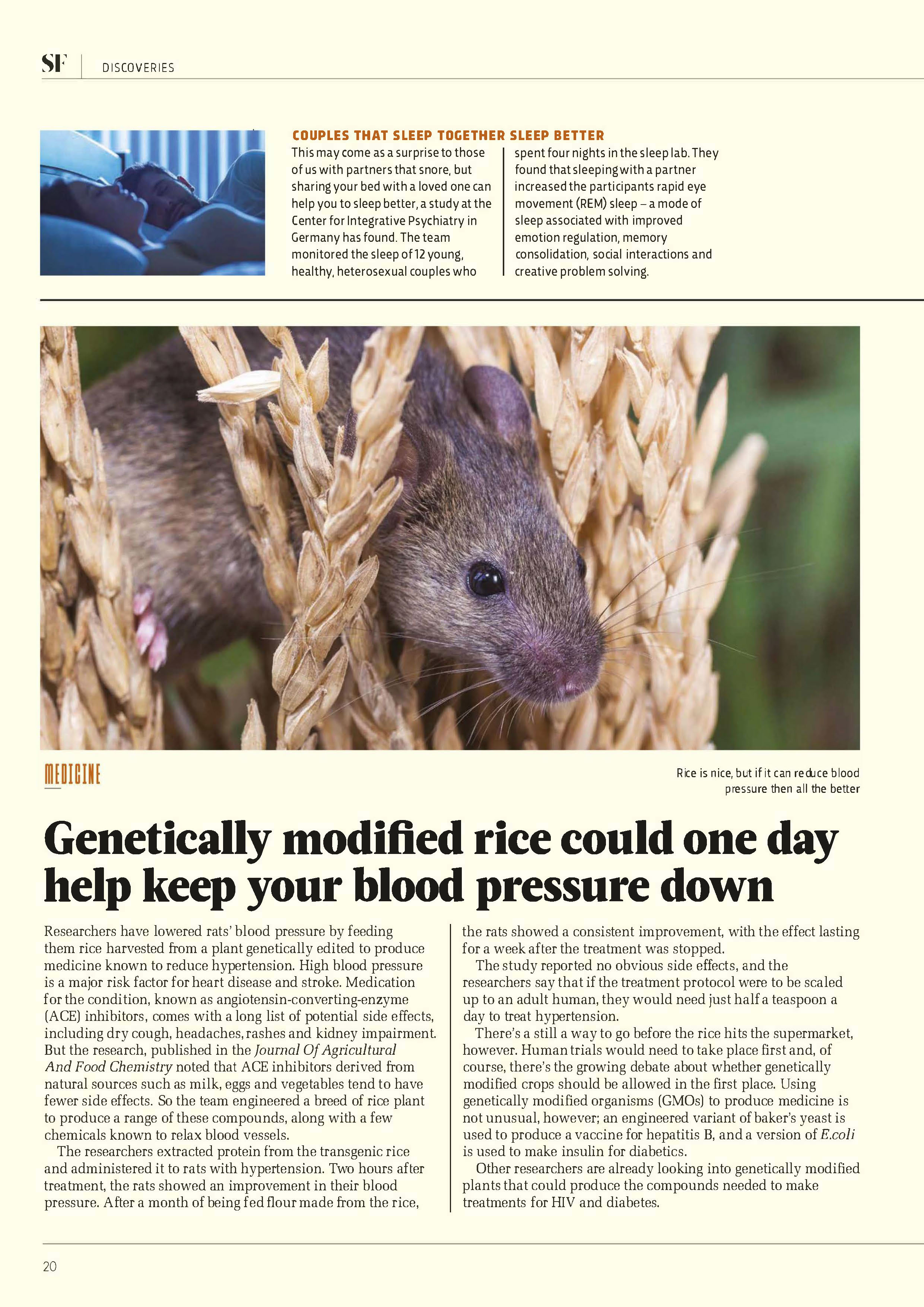
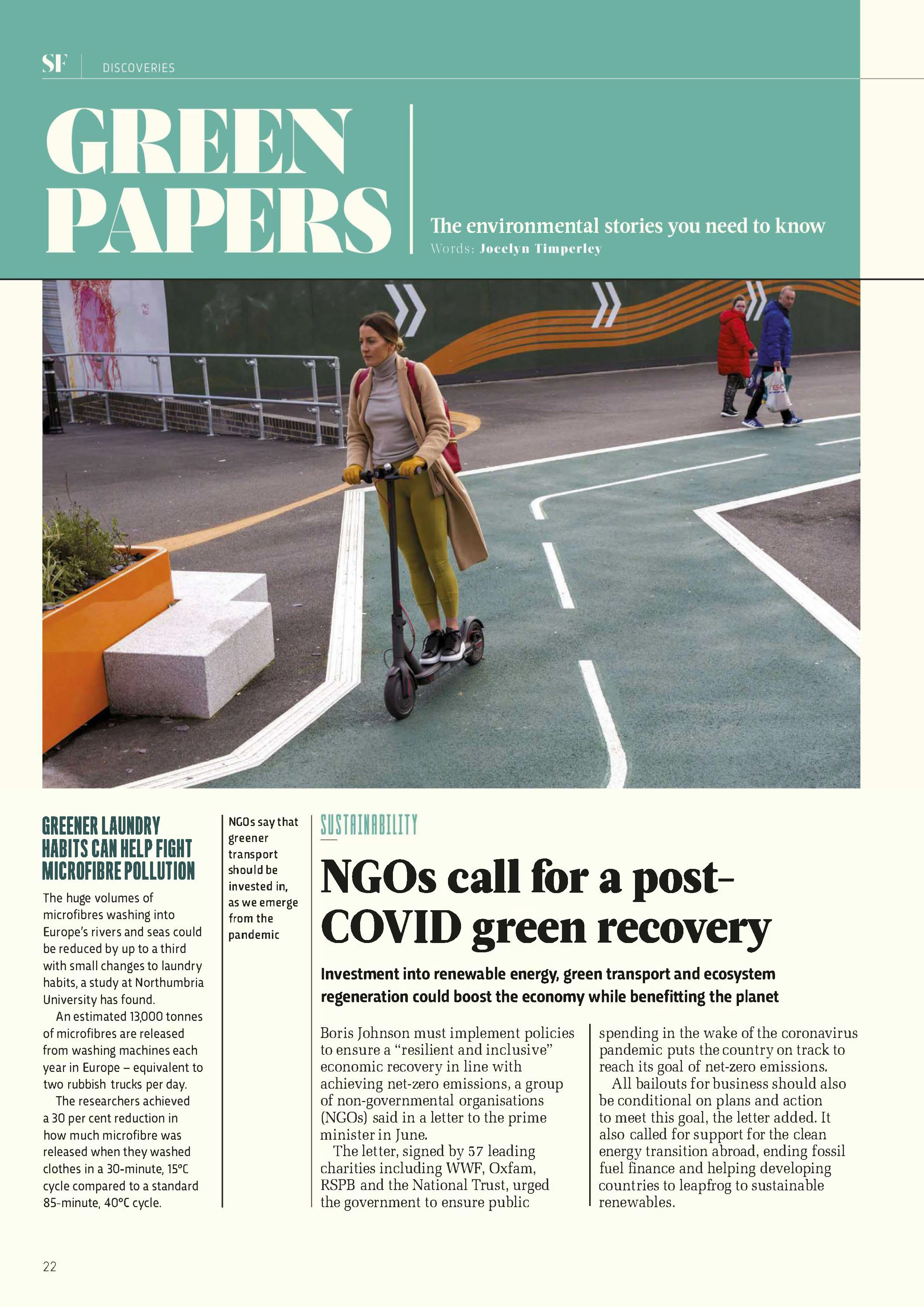
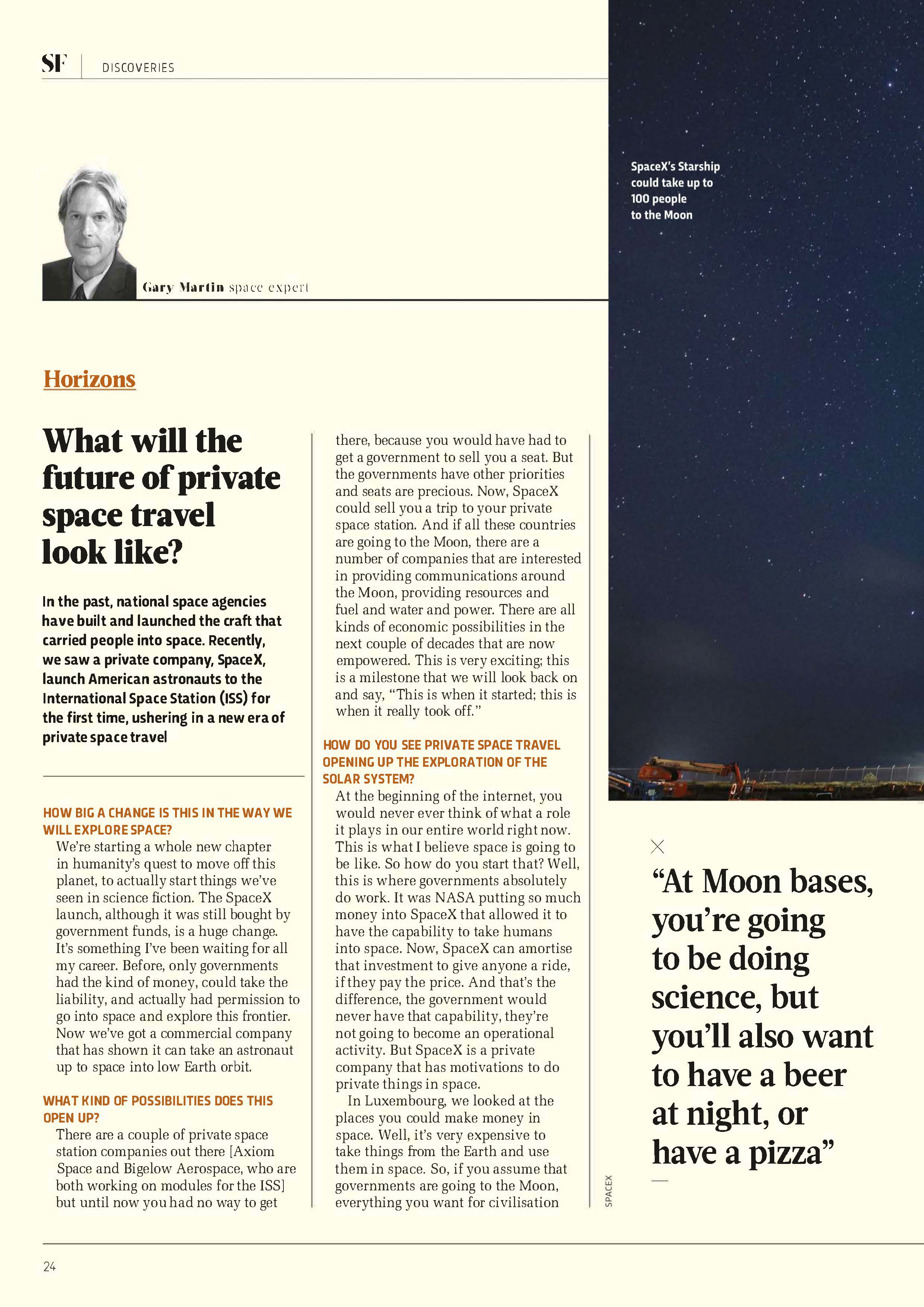
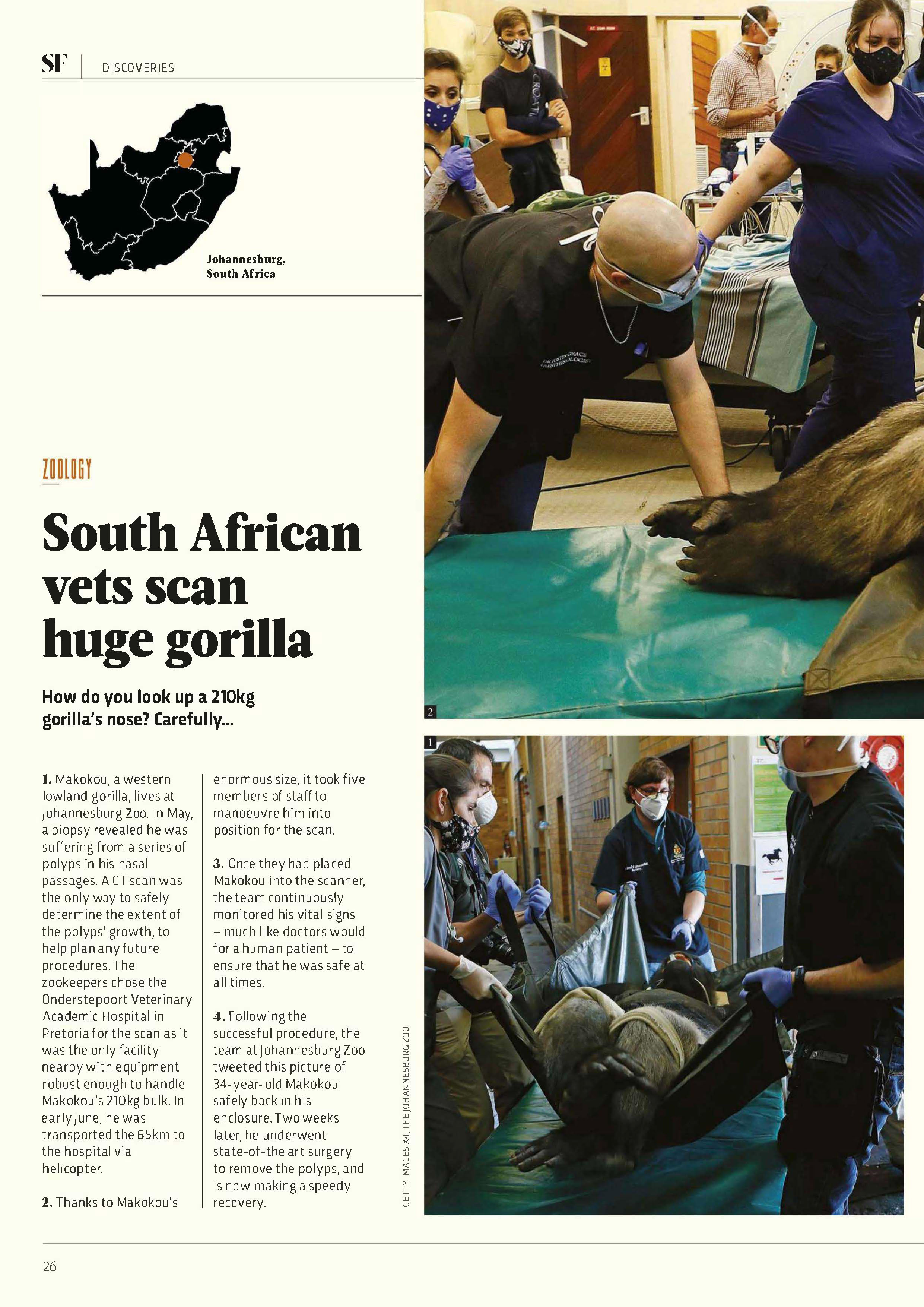
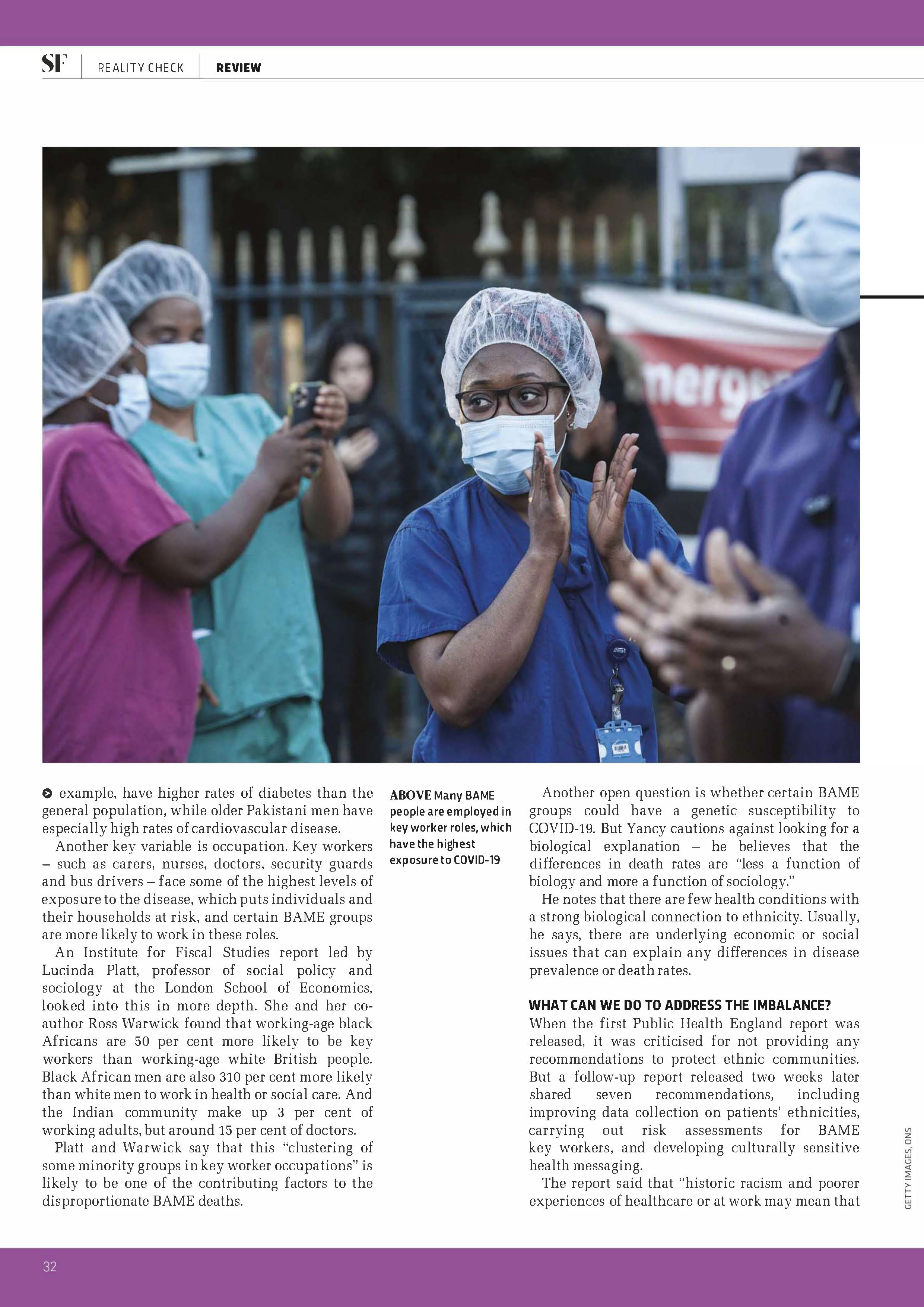
Now make the page your own. Choose a topic that interests you. Use your own photographs whenever possible — shoot something for this assignment or use photos you have already taken — and royalty-free images are also allowed. You can change the subject matter completely, but the image areas and placement should follow the original layout.
Your magazine page could be about:
Create content that fits your chosen layout. Your writing does not need to be highly polished — the important thing is that your text fits naturally into the layout. Placeholder text is allowed if necessary, but original writing is encouraged.
You could write:
- • A short article
- • An interview
- • A review
- • A personal story
- • A fictional story
- • A mini feature
- • A product description
- • A travel story
- • A cultural story
This is where you can really make the design your own. You do not have to copy the template's colours — choose a palette that fits your content and creative direction. Your colour choices should still work within the same visual structure as the template. The goal is to change the personality of the page without changing its architecture.
For example:
Open the vector-based software of your choice and recreate the template. Start with the major elements — page size, image areas, text columns, headline, subheadings, lines and shapes, captions and smaller details — then refine the smaller details. Remember: you are changing the content, not redesigning the layout.
Keep your document organized using the following layers. Lock the Template layer once you begin building so it stays available for you to continually compare your work to it.
Original template image (lock once you begin)
Photographs
Headlines / subheadings
Body text
Rules and borders
Backgrounds and graphic elements
Your final page should look like it belongs to your own magazine, while still clearly showing that you followed the original template. Did you follow the layout? Yes. Did you use the same basic formatting and hierarchy? Yes. Did you create your own content and visual personality? Yes! Does your page feel like your own design? That's the goal.
Submit all of the following:
Layout & Formatting
40%How accurately did you recreate the template?
- • Page dimensions
- • Element placement
- • Image placement and size
- • Text columns
- • Alignment
- • Spacing
- • Typography hierarchy
- • Overall structure
Creativity & Content
30%How successfully did you make the design your own?
- • Original or interesting topic
- • Creative use of images
- • Engaging text
- • Effective colour scheme
- • Interesting visual choices
- • Personal creative direction
Design Execution
20%How well does the finished page work as a magazine page?
- • Strong composition
- • Good-quality images
- • Readable typography
- • Effective colour choices
- • Clean and polished design
Organization & Submission
10%Is everything named, organized, and submitted correctly?
- • Layers are clearly named
- • Template layer is included and locked
- • Files are correctly named
- • All required files are submitted
Final Thought
Copy the structure. Change the story. The challenge is to see how much you can change while keeping the underlying design intact. You are not simply tracing a magazine page — you are taking a professional layout and asking, “What would this look like if I made it mine?” Have fun, experiment, and don't be afraid to make bold creative choices!